
List your cards in seconds.
Snap your cards on your phone. FireList reads every one, names it the way buyers search (set, number, rarity, grade) and hands you an upload file for eBay, Whatnot or your own store. You just add prices.
No sign-up. Works on your phone or computer.
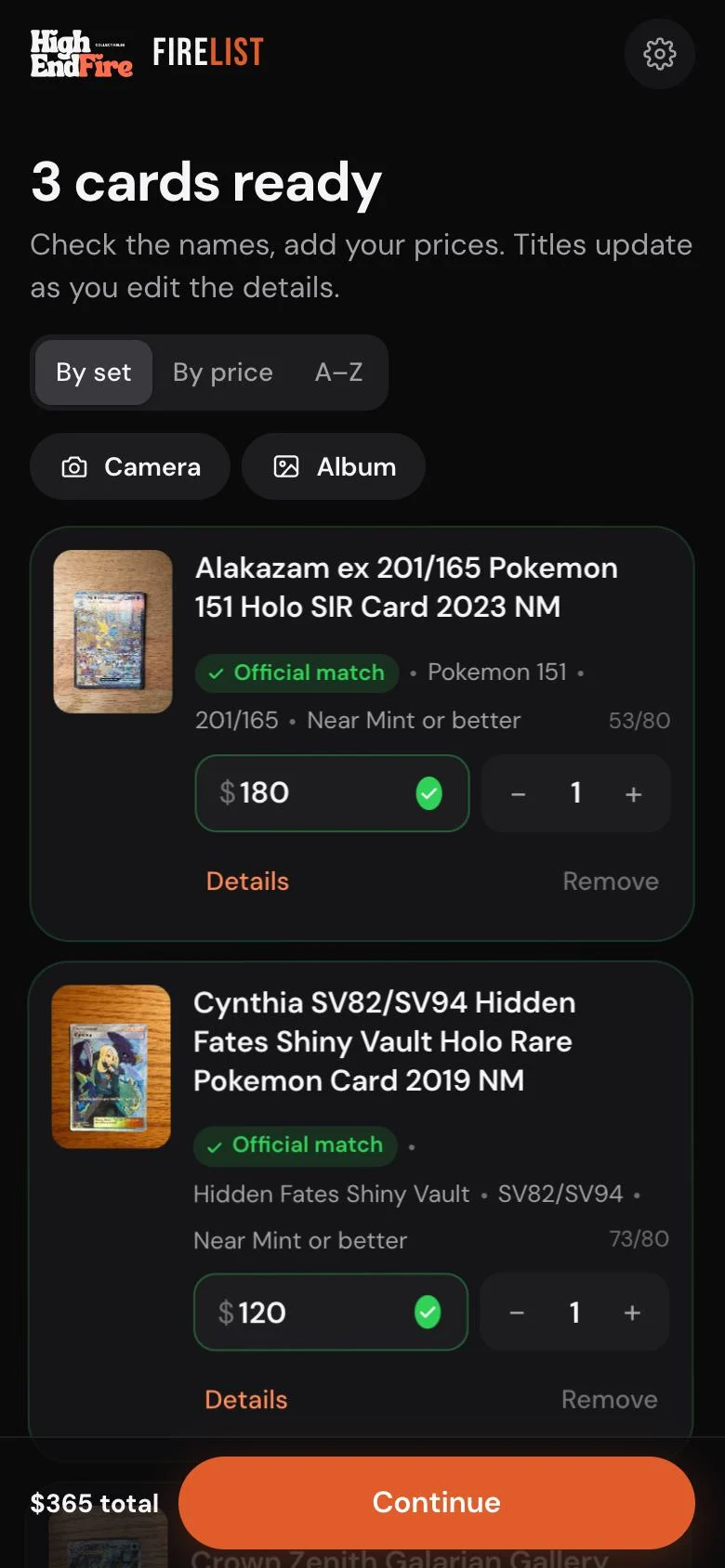
Three steps. No typing titles.
Photograph your cards on any plain surface: fronts, backs, raw or slabbed. Drop in up to 60 at once.
Each card comes back named and sorted by set. English Pokémon cards are matched to the official card list, so you can compare the art.
Add your prices and pick where they go. FireList makes the upload file in that marketplace’s own format.
One batch. Every shop.
Titles are written for eBay search: up to 80 characters, with the grade and card number first. eBay listings also get the right category and card-condition fields.
Good to know
Is it really free?
Yes. No sign-up and no subscription. If the shared card reader is busy you can add your own free Google AI key in Settings, or pick cards from the official list yourself.
Which cards does it work with?
Pokémon, One Piece, Dragon Ball, Yu-Gi-Oh!, Magic and Lorcana, raw or graded (PSA, BGS, CGC and more). English Pokémon cards are also checked against the official card database.
Does it list straight to eBay?
It makes a Seller Hub bulk-upload file. In eBay go to Seller Hub → Reports → Uploads and choose the file. Whatnot, Shopify and WooCommerce work the same way through their import screens.
What happens to my photos?
They’re kept for 14 days so the marketplace can copy them when you import, then deleted automatically. Location data is stripped on upload. Full privacy details.
Who made it?
High End Fire Collectables, a Pokémon and TCG shop in Adelaide. We built it to list our own stock faster and made it free for everyone.